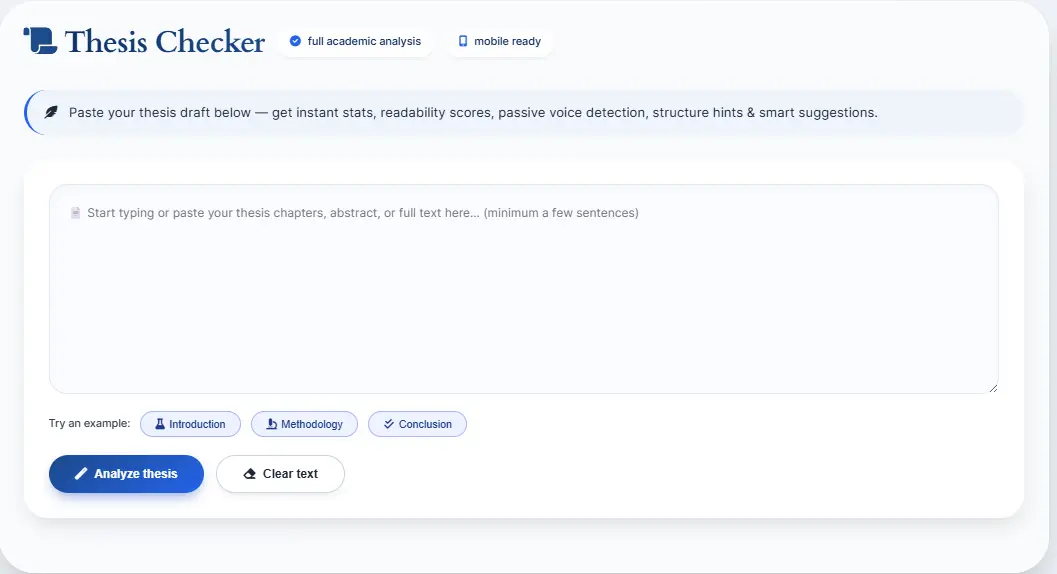
Paste your thesis chapter, abstract, or draft into the tool above and get instant writing statistics. The checker measures readability, counts words and sentences, flags possible passive voice and overused filler words, and looks for standard thesis section headings. It is a quick way to spot problems in a draft before you send it to your supervisor.
The checker does not check for plagiarism, detect AI-written text, or correct grammar. For those, use a dedicated tool or your institution’s submission system.
Thesis Checker
full academic analysis mobile readyPaste your thesis draft below — get instant stats, readability scores, passive voice detection, structure hints & smart suggestions.
What the Thesis Checker Measures
Basic metrics. Word count, character count with and without spaces, sentence count, paragraph count, average word length, and average sentence length. Paragraphs are counted by blank lines, so separate paragraphs with an empty line before analysing.
Readability. Three standard scores are shown. The Flesch Reading Ease score runs from 0 to 100, where higher is easier to read. Academic writing often scores between 20 and 40. The Flesch-Kincaid Grade Level estimates the US school grade needed to understand the text. The Gunning Fog Index estimates years of formal education needed. These are estimates based on sentence length and syllable counts. They do not measure the quality of your argument.
Writing quality. The tool gives a rough count of possible passive constructions, such as “was studied” or “were collected,” which can be useful to review. It also counts words ending in “-ly” and common filler words such as “very,” “really,” and “quite.”
Structure. The checker looks for common thesis section names, including Abstract, Introduction, Literature Review, Methodology, Results, Discussion, Conclusion, References, and Appendix. It is a simple keyword check, so a missing heading may mean the section is named differently, not that it is absent.
Vocabulary. The tool shows the number of unique words, a vocabulary variety percentage (unique words divided by total words), and the most frequent non-common words. A low variety score in a long text can indicate repetition.
How to Use the Checker
- Paste a chapter, section, or full draft into the text box. Shorter sections give more useful feedback than very long documents.
- Keep paragraph breaks as blank lines so paragraph counts are accurate.
- Click Analyze thesis.
- Review the readability scores first, then the writing quality and structure sections.
- Revise the flagged sentences by hand, and re-run the check if needed.
Try one of the example buttons above to see how the results look before you paste your own text.
Understanding the Results
A high passive voice count is not an error. Some fields, such as engineering and the natural sciences, use passive voice by convention. Use the number as a prompt to check each sentence, not as a target.
Readability scores should match your audience. A thesis for a specialist committee will score lower on reading ease than a summary for a general audience. Scores that are very low may point to long, tangled sentences, which are worth reviewing.
A missing section heading does not always mean something is wrong. The check looks for exact phrases, so “Literature Review” may not be detected if your heading is “Background” or “Related Work.”
Frequently Asked Questions (FAQs)
Yes. The checker runs in your browser at no cost, with no sign-up or subscription.
No. Your text is analysed in your browser and is not sent to our server or stored. Closing or refreshing the page clears it.
No. The tool does not compare your text against published sources. Use your institution’s plagiarism software, such as Turnitin, before submission.
No. The checker does not detect AI-generated writing. Follow your institution’s policy on AI use and disclose any assistance it requires.
No. Use your word processor’s spelling and grammar tools, or a dedicated grammar tool, for that.
No. The checker does not read your bibliography or match in-text citations to references. For formatting, see our APA Citation Generator or MLA Citation Generator.
Yes. The tool cross-references in-text citations with your reference list, flagging potential mismatches. For dedicated reference management, you might also find our Bibliography Organizer Citation Tool helpful.
Definitely. While optimized for theses, it is equally effective for dissertations, research papers, and even college admission essays. For shorter pieces, you might also try our Essay Hook Generator to strengthen your introductions.
Related Tools for Academic Success
- Thesis Statement Generator Grader: Craft and evaluate the strength of your central argument.
- Chicago Citation Generator: Ensure your footnotes and bibliographies are perfectly formatted.
- Document Analysis Helper: Critically engage with your primary and secondary sources.
- APUSH DBQ Grader Feedback Tool: For history students, this tool provides specific feedback on document-based questions.
About This Tool
The Free Thesis Checker was built by the DailyToolSpot team to give students a fast, private way to check the basic measures of their academic writing. Its calculations use standard readability formulas, and it is intended as a first-pass aid, not a replacement for supervisor feedback.