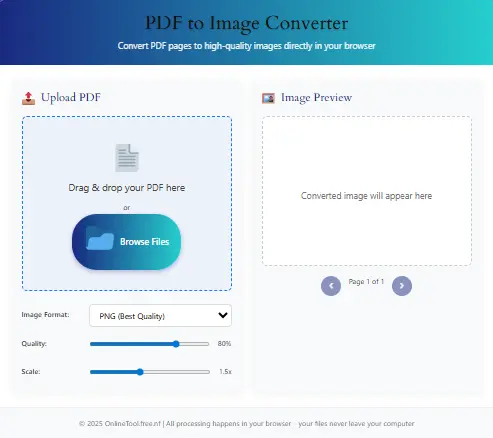
PDF to Image Converter
Convert PDF pages to high-quality images directly in your browser
📤 Upload PDF
Drag & drop your PDF here
or
Processing PDF… This may take a moment
🖼️ Image Preview
Converted image will appear here
In today’s fast-paced digital environment, converting documents into shareable, universally supported image formats is more important than ever. That’s precisely why our PDF to PNG exists. This comprehensive tool empowers users to transform their PDF files into crisp, high-quality PNG images—instantly, securely, and at no cost. Not only is it fast and intuitive, but it also prioritizes quality, privacy, and user experience, all in one seamless platform.
Introduction
Undoubtedly, PNG is one of the most widely used image formats due to its lossless compression, transparent background support, and pixel-perfect clarity. Consequently, the need for a reliable PDF to PNG tool has surged. Whether you’re a teacher preparing slides, a student extracting notes, or a business professional digitizing documents, our tool simplifies the conversion process with just a few clicks.
What sets this tool apart is not just its simplicity, but also its powerful backend that guarantees image fidelity and swift performance. By using semantic logic and optimized rendering, every PDF page is flawlessly converted to an image format that’s easy to download, share, or use across multiple platforms.
Moreover, our tool doesn’t stop at functionality—it also integrates beautifully with your digital workflow. For instance, you can combine it with our Text to Graph Generator to visualize data from PDF reports or pair it with the CSS Gradient Generator for design consistency.
Key Features of Our PDF to PNG Tool
- Absolutely Free – No registration, no subscriptions, and certainly no watermarks.
- Multi-Page Conversion – Easily handles entire documents, generating individual PNG images for each page.
- No Watermarks – Retain full ownership of your content without branding overlays.
- High-Resolution Output – Delivers pixel-perfect PNG files that preserve text, colors, and layouts.
- Drag & Drop Interface – Designed for convenience, simply drop your file and convert.
- Download as ZIP – Get all PNGs bundled in one neat package.
- Responsive Design – Whether on desktop, tablet, or mobile, the tool works flawlessly.
| Feature | ✅ Status | Description |
|---|---|---|
| Unlimited Free Use | ✔️ | Convert as many PDFs as you want — no cost, no limits. |
| Multi-Page Support | ✔️ | Each page is converted into a separate high-quality PNG. |
| High Resolution Output | ✔️ | Perfect for printing, publishing, or web design. |
| Drag & Drop Upload | ✔️ | Quickly upload files by dropping them onto the tool. |
| ZIP Download | ✔️ | Download all converted PNGs at once in a ZIP file. |
| Browser-Based Conversion | ✔️ | No file uploads — everything happens securely in your browser. |
| Mobile Responsive | ✔️ | Use the tool seamlessly from any phone or tablet. |
| Transparent PNG Support | Coming Soon | Future update will allow PNGs with transparent backgrounds. |
Advanced Features (Beyond Standard Tools)
Furthermore, advanced users and professionals will appreciate the following capabilities:
- Optimized for SEO – Filenames and metadata remain structured.
- Smart File Compression – Maintains quality while optimizing file size.
- Preserves Text Clarity – Great for scanned documents or fine print.
- Privacy-Centric Design – Uploaded files are deleted automatically within an hour.
- Supports Large Files – Up to 100MB file size, depending on browser compatibility.
- Cross-Browser Compatibility – Works seamlessly on Chrome, Firefox, Safari, and Edge.
- Fast Batch Processing – Converts multiple pages without lag.
How to Use This PDF to PNG Tool
Using this PDF to PNG converter is straightforward. Follow these easy steps:
- Upload Your File: Click on “Choose File” or drag and drop your PDF into the upload zone.
- Wait for Processing: The tool instantly begins converting each page into PNG.
- Preview the Output: You’ll see thumbnails of each converted page.
- Download: Choose to download files individually or all at once as a ZIP archive.
Moreover, this process works perfectly whether you’re using a desktop or a mobile device.
Frequently Asked Questions PDF to PNG (FAQs)
Absolutely. There are no hidden costs, ads, or watermarks.
Yes. Each page of the PDF becomes its own PNG image.
Generally up to 100MB. Performance may depend on your browser.
No. All files are deleted automatically within 60 minutes.
Yes, it’s mobile-optimized and fully responsive.
Yes. It uses high-resolution rendering.
Chrome, Firefox, Safari, and Microsoft Edge.
Definitely. PNGs are editable in any image editor.
For sharp, lossless quality—absolutely yes.
Yes. It accurately converts even scanned or photographed PDFs.
Relevant Tools You Might Need
- Text to Graph Generator
- CSS Gradient Generator
- Unicode Text Converter
- Online Scientific Calculator
- Free QR Code Generator
- Length Conversion Calculator
- Time Calculator
- 2025 Budget Planner
- Daily Routine Planner
- Flow State Assistant
Conclusion: Why This PDF to PNG Tool Deserves a Bookmark
In summary, converting PDF to PNG should never be complicated. That’s why we’ve built this tool to be efficient, high-performing, and most importantly—accessible. Whether you’re preparing a presentation, designing a brochure, or simply archiving document pages, our converter gives you the power to do it quickly and professionally.
With seamless integration across devices, strict security protocols, and robust performance, this tool is your go-to solution for all image conversion needs.
Don’t forget to explore other helpful tools on Online Tool Free like our BMI Calculator, GPA Calculator, and Age Calculator to enhance your productivity.
Thank you for using our service. For feedback or inquiries, feel free to Contact Us.