Color Converter
Convert between color formats instantly
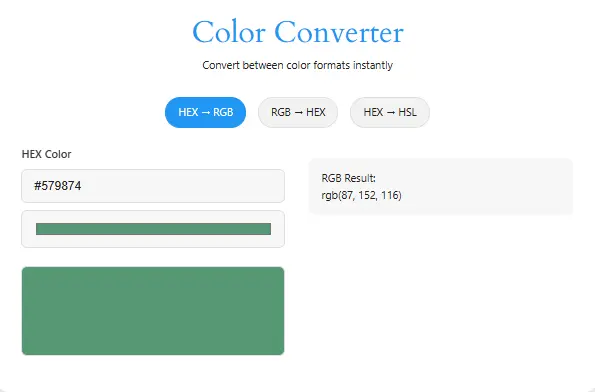
Need flawless color conversions for web design, CSS, or digital art? Our Professional Color HEX to RGB Converter is your one-stop solution. Convert HEX ↔ RGB ↔ HSL codes instantly with live previews, advanced features, and pixel-perfect accuracy.
Try out colour contrast analyzer, Beautiful Color Tool, CSS Gradient Generator.
Key Features
Core Conversions of HEX to RGB converter
- HEX to RGB
- RGB to HEX
- HEX to HSL
User-Friendly Tools
- Live Color Preview: See colors in real-time.
- Color Picker: Visually select hues from a spectrum.
- One-Click Copy: Copy results to the clipboard instantly.
Cross-Platform Compatibility
Works flawlessly on desktop, tablet, and mobile.
Advanced Features of HEX to RGB Converter
Real-Time Conversion
Results update as you type—no need to click "Convert."
Multi-Format Support
Convert between HEX, RGB, and HSL in one tool.
Accessibility Tools
Preview how colors appear to users with color blindness (optional: add this feature to your tool).
How to Use the Color Converter
Follow these simple steps:
- Select Conversion Type: Choose HEX → RGB, RGB → HEX, or HEX → HSL.
- Input Your Code:
- For HEX: Enter a code like
#FF0000or use the color picker. - For RGB: Input values for red (0-255), green, and blue.
- For HEX: Enter a code like
- Get Results:
- The converted code appears instantly with a live preview.
- Click the “Copy” button to use the code in CSS, Figma, or Photoshop.
| HEX Code | RGB Value | Color Preview |
|---|---|---|
| #FF0000 | rgb(255, 0, 0) | |
| #00FF00 | rgb(0, 255, 0) | |
| #0000FF | rgb(0, 0, 255) | |
| #FFFFFF | rgb(255, 255, 255) | |
| #000000 | rgb(0, 0, 0) |
Why Use This Tool?
- Speed: No lag—results appear as you type.
- Accuracy: Matches industry standards for designers.
- Free Forever: No hidden fees or ads.
- For Everyone: Perfect for developers, artists, and students.
Frequently Asked Questions (FAQS)
It uses precise algorithms to ensure 100% accurate color matching and is trusted by professionals.
Yes! Use the HEX → HSL converter first, then switch tabs for HSL → RGB.
Absolutely. Use it for client work, personal projects, or learning—no restrictions.
Currently, we focus on HEX, RGB, and HSL, but stay tuned for updates
A Hex color code is a 6-character alphanumeric string (e.g., #FF5733) used in web design to define colors. It combines values for red, green, and blue (RGB) in hexadecimal format.
RGB stands for Red, Green, Blue. It’s a color model where colors are defined by mixing these three primary light colors in varying intensities (e.g., rgb(255, 87, 51)).
Hex codes are used in HTML/CSS, while RGB values are often required for design software (e.g., Photoshop) or dynamic styling in JavaScript.
Simply enter the Hex code (with or without #), and our tool instantly calculates the corresponding RGB values. Try it with #FF0000 (pure red)!
Yes! Use our RGB-to-Hex converter
Yes! It’s fully responsive and works on all devices.
Conclusion
Whether you’re tweaking a website’s CSS or perfecting a digital design, our Color Converter saves time and ensures precision. With live previews, real-time conversions, and cross-format support, it’s the ultimate tool for designers and developers.
Try it now—input your code and see the magic!