🎴 AI Flashcard Maker Online
Create, study, and master any subject with a free browser-based flashcard tool. Paste notes for instant card generation, review in three study modes, and track your streak and XP — no account required.
What This Tool Actually Does
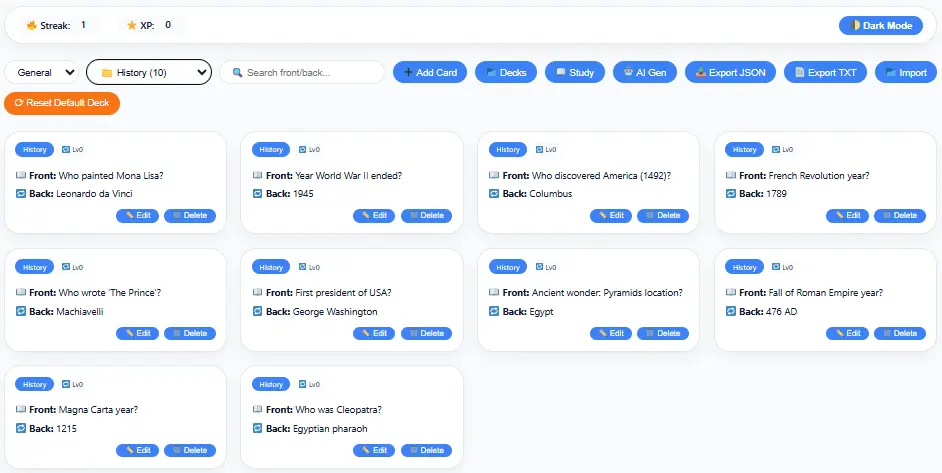
FlashForge Ultimate is a browser-based flashcard maker. Create cards by hand, or paste in notes for it to split into question-and-answer pairs.
Cards sort into decks and subject tags. Review them in three modes: flip card, multiple choice, or type-the-answer. It also tracks a study streak and XP, and lets you export a deck as JSON or plain text.
Everything saves to your browser’s local storage — not an account on a server. More on what that means below.
How the “AI” Generator Really Works
It splits pasted text by sentence, not by meaning. A sentence ending in “?” becomes a card front, with the next sentence as the answer. Everything else gets chopped to roughly 70/80 characters.
That works well on notes already written as short facts — vocabulary, dates, definitions. It struggles on dense paragraphs, since it can’t tell which sentence answers which question.
Treat the output as a first draft: generate, read every card, fix or delete the bad ones, then study.
Why Flashcards Work
Answering a question forces retrieval from memory, instead of just rereading it. A widely cited 2013 review of ten study techniques (Dunlosky et al.) rated practice testing and spaced-out review as the two most effective habits — well above rereading or highlighting.
That means reviewing a deck five times in one sitting helps less than reviewing it once today and again in two or three days. This tool doesn’t space that out for you automatically, so build the habit yourself.
Common Mistakes
- Trusting a generated card without reading it first
- Marking a card “known” after one lucky right answer
- Cramming the whole deck the night before, instead of spacing review out
What This Tool Can’t Do Yet
It doesn’t track how well you know each card or reschedule difficult ones — every card is treated the same every time, despite “spaced repetition” language elsewhere on this page.
There’s no account system either. Decks live in this browser only, so they won’t follow you to another device and can be lost if you clear browsing data. Export a backup if a deck matters to you.
Related Tools
- AP History Study Tools — a full suite of AP study resources
- APUSH Score Calculator — estimate your AP score from practice test results
- APUSH Study Guide — structured notes for all nine units
- APUSH Timeline Generator — filter U.S. history by period, theme, or difficulty
- DBQ Thesis Generator — build a defensible thesis from evidence
- LEQ Grader — practice scoring against the 6-point AP History rubric
For the official rubric language, see College Board AP Central.
❓ Frequently Asked Questions (FAQs)
It is a learning method that improves memory by revising information at intervals.
Yes, users can create unlimited decks for different subjects.
Yes, it is ideal for exam revision and practice.
Yes, import/export features are available.
No — it splits text by sentence, not meaning. Works best on short factual notes.
Not currently. They’re saved in this browser only; export JSON to move them.
No — it has study modes and a streak, but doesn’t adjust review timing based on how well you know a card.
Editorial and Tool Information
This page provides a free, browser-based flashcard maker and study tool. It is designed for students who want a quick, no-signup way to build and review decks for any subject.
The tool was developed around a simple workflow: create or generate cards → organize into decks → study in one of three modes → track progress with streak and XP.
The page and tool information are reviewed periodically to improve clarity and reflect changes to the tool. When discussing AP exam requirements or scoring criteria, students should use current official College Board materials as the authoritative source.
Last reviewed: September 2026
Keep Building Your Study Skills
Consistent review with the right tools makes exam prep faster and more effective — use this flashcard maker for retrieval practice, then pair it with the study guides and essay tools above for full exam readiness.
When you’re ready, try the APUSH Study Guide, the APUSH Timeline Generator, or explore the AP History Study Tools hub for more resources.